
One-time onboarding
Installation and setup happen once. After that, Orqestria stays with your business: your right to use it does not expire, and there is no mandatory monthly fee.
Your computer. Your AI subscriptions.
Tell us what you want to build. The Orqestria AI team plans, writes and tests it — on your own computer.
 Claude Code
 Codex
Codex Antigravity
We are actively developing Orqestria, so you may encounter errors. The current Mac version needs an extra approval the first time you open it.
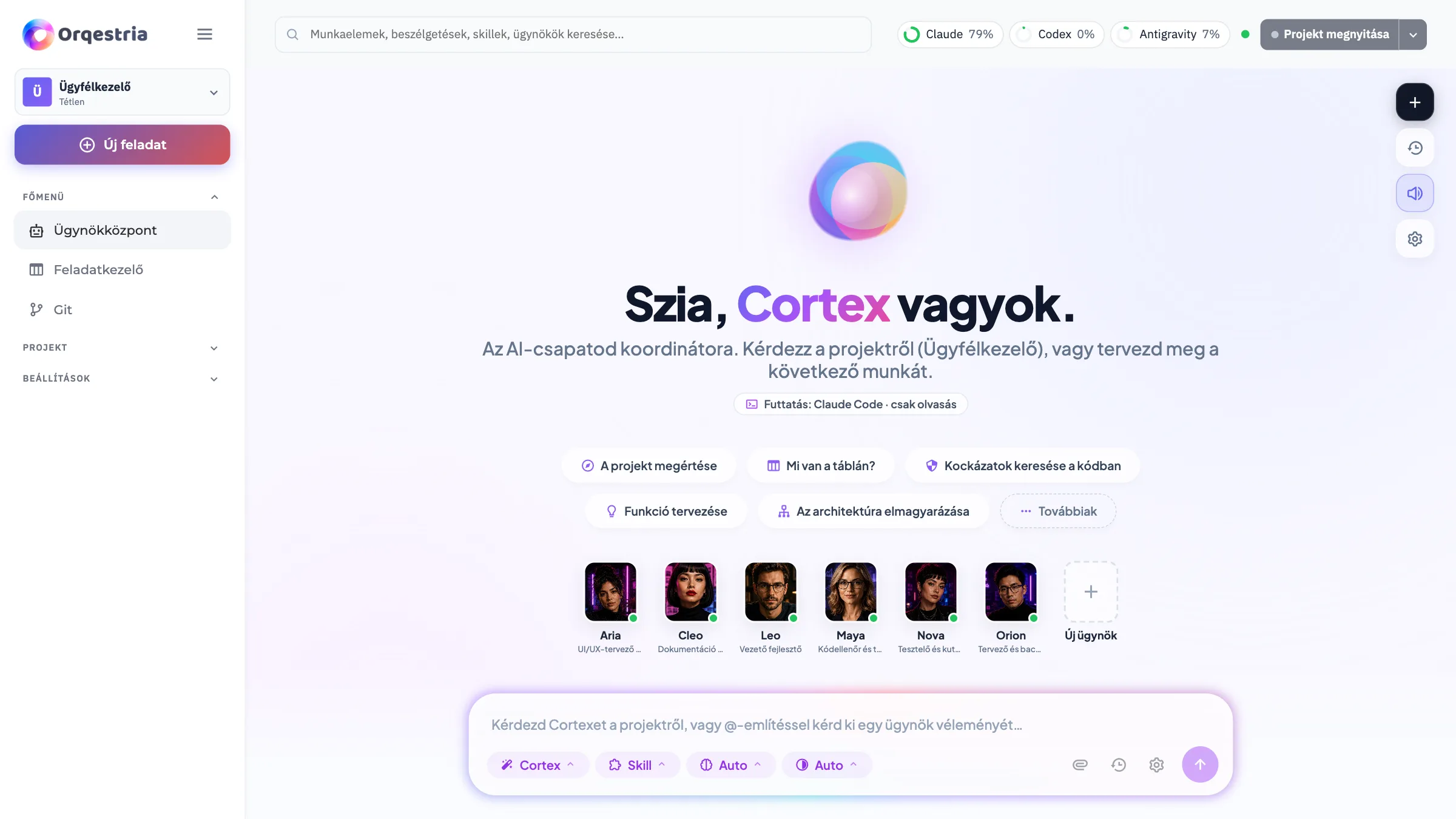
Orqestria in half a minute
For the long term
Orqestria is for more than a single project: after onboarding, it stays with your business, so your own AI team can keep extending, fixing and maintaining your internal systems.
Installation and setup happen once. After that, Orqestria stays with your business: your right to use it does not expire, and there is no mandatory monthly fee.
A new feature, a change or a bug fix: the team runs on your own computer, so you can put it to work day or night – without waiting weeks for a developer.
A CRM, a quote builder, a records system, automation or a new product for your customers – build as many as you want.
The diagram is illustrative. You use the AI tools through your own subscriptions.
How it works
The AI agents plan the tasks, write the code, run tests, review the results and help you develop your project further.
Describe what you need in plain language – just as you would explain it to a developer colleague.
The planning agent breaks it down into tasks and shows you what will be built and in what order.
The developer agent writes the code, with each task on its own branch.
Another AI reviews the code, while the tester checks that everything works.
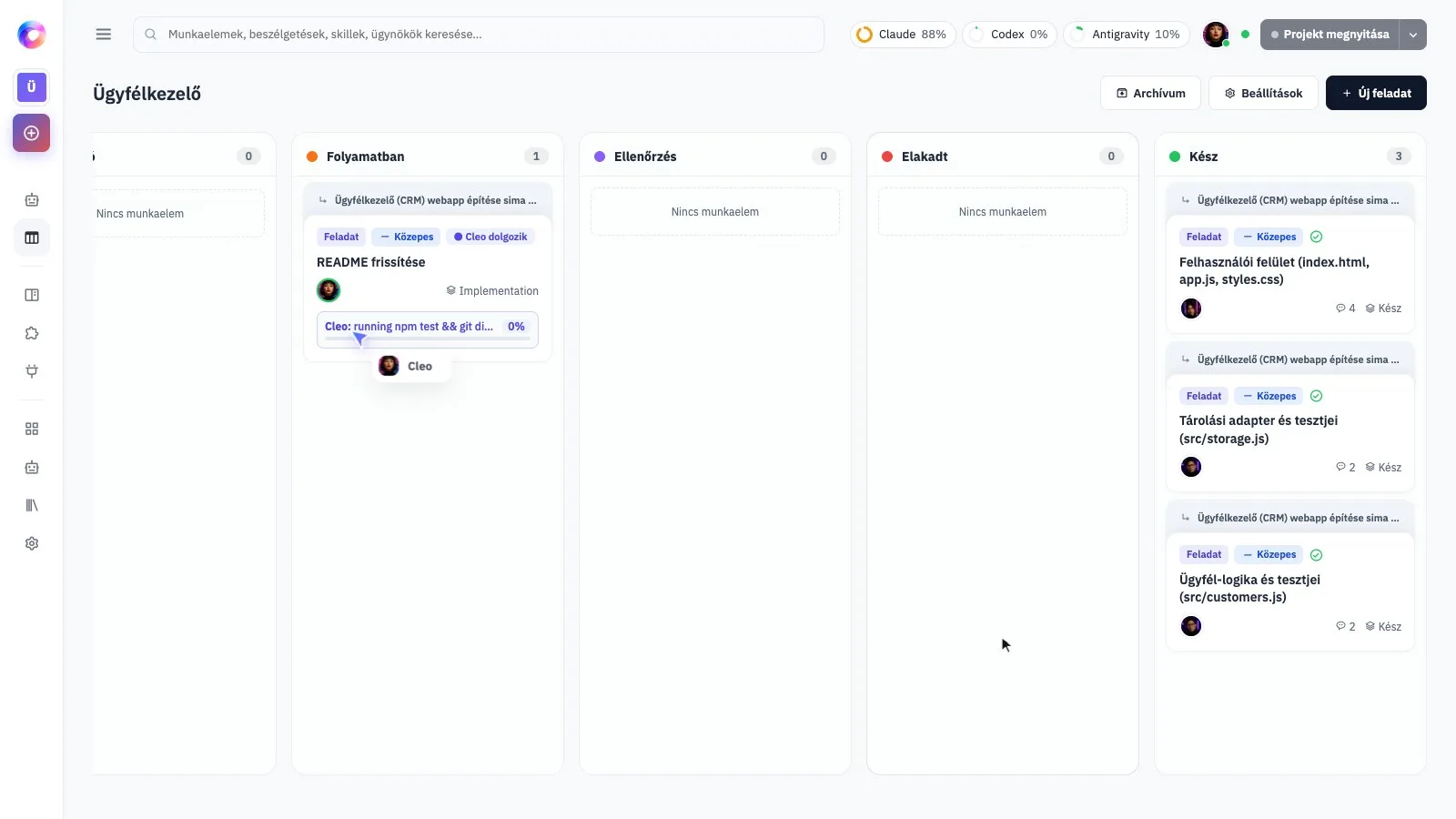
Follow the work on a board and decide what becomes part of your project.
In action
A real recording of Orqestria: we ask for a CRM application in Hungarian. The AI team plans it, builds it, independently reviews and tests it, then adds a new feature. Waiting times have been sped up and edited out.
Or try the simplified example: choose an idea and follow the task on the board as it moves from planning to completion.
The team
Each agent has a specific role and responsibility – and they all work through your own AI subscriptions. Click a role to learn more.

Take a look
Screenshots of the real application, with a demo project. Everything runs on your own computer, in your browser.
See who is working on what and how far the work has progressed, all on one board.
Why on your own computer?
Orqestria is not a cloud service you rent each month: it runs on your own computer and uses your own AI subscriptions.
The right to use the software does not transfer ownership of its source code. AI service fees are paid separately. The licence agreement sets out the terms for updates and support.
The current beta is not yet notarized by Apple. Follow these steps for the download from orqestria.com.
Use Download to get the .dmg file. Open it, then drag Orqestria into Applications.
Download Orqestria for Mac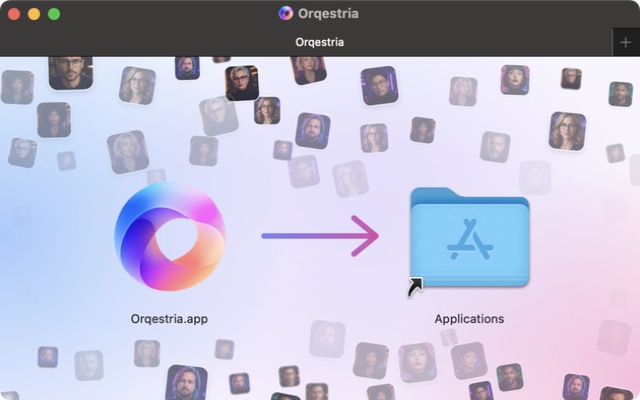
Open Orqestria from Applications. If Apple says it cannot verify the app, choose Done, not Move to Trash. Continue only with your download from orqestria.com.
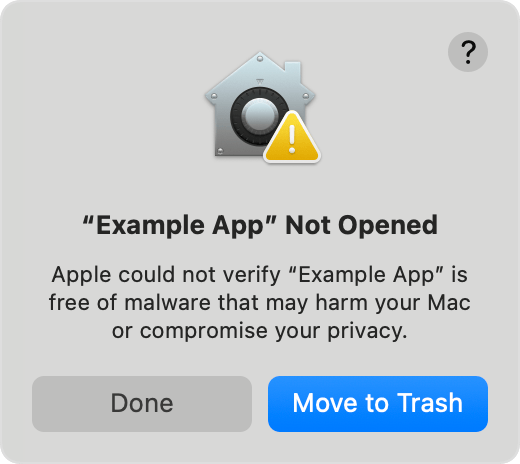
Go to System Settings → Privacy & Security. Scroll to Security and choose Open Anyway beside Orqestria. This option is available for about an hour after the opening attempt.
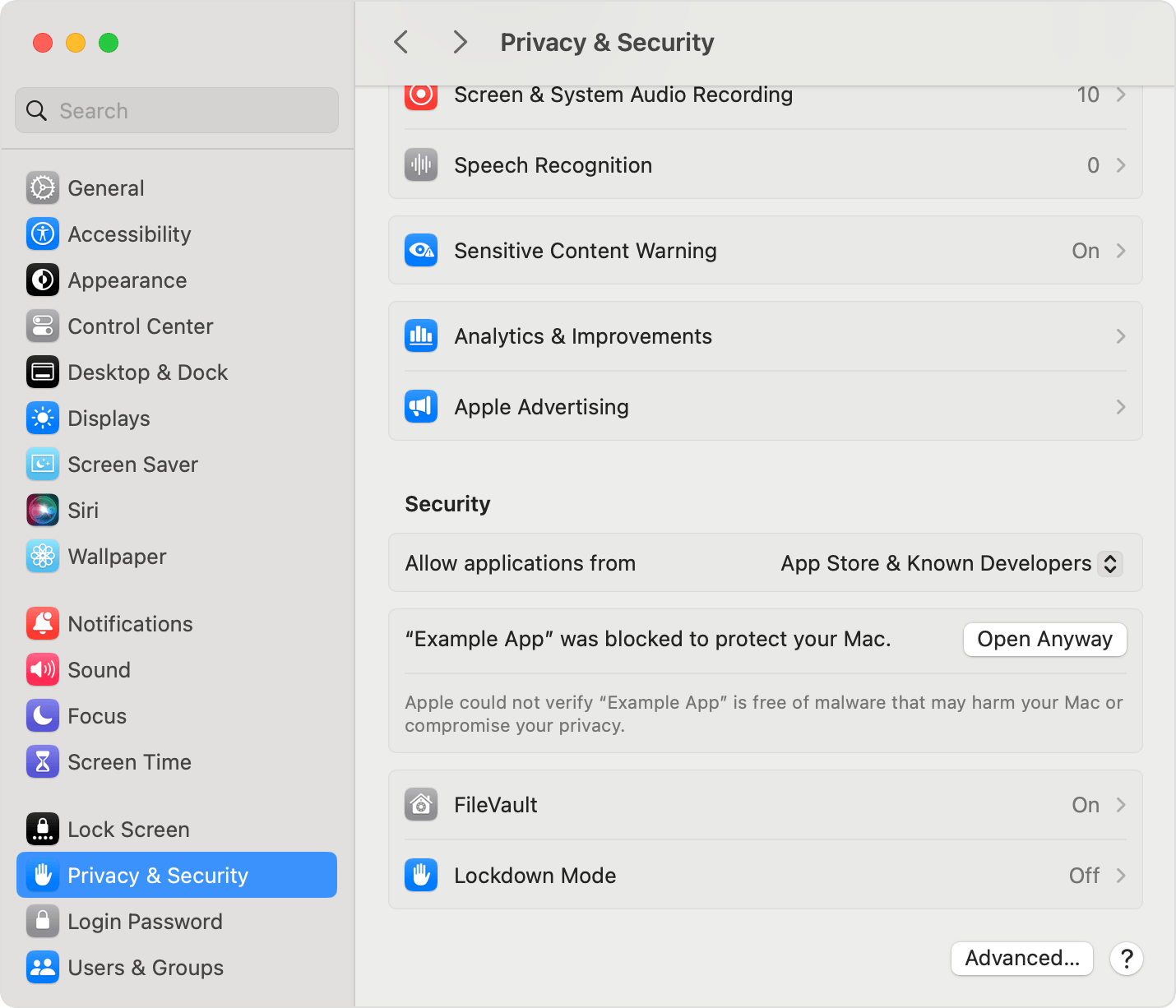
Confirm Open or Open Anyway if prompted, using your Mac password or Touch ID when requested. Follow setup to activate your licence and connect your AI accounts.
Try opening Orqestria again, then reopen Privacy & Security. On a managed Mac, contact your administrator.
A new beta downloaded through your browser may need approval again. Your data in ~/.orqestria stays in place.
For warnings about malware or a damaged app, stop and contact support. No global security changes are needed.
The installer image shows Orqestria. The macOS Sequoia examples are from Apple; Example App represents Orqestria. Labels and layout may vary on your Mac. Apple’s official installation help
Packages
Choose how you want to get started with your own AI development team.
Orqestria Start
350 000 Ft + VAT
One-year software licence and initial setup
You do not have to put the development tools together yourself. We help you with installation, settings, getting to know the agents and starting your first project.
The result: a working development environment tailored to you, which you can use independently after onboarding.
The licence year starts on first activation. No automatic renewal.
Orqestria Mentoring
400 000 Ft + VAT / month
350 000 Ft + VAT licence, plus 400 000 Ft + VAT per month for three months. Total: 1 550 000 Ft + VAT, paid in monthly installments.
For those who want more than just a start: expert help building their own software.
The result: your own software project, planned and started – and the knowledge to continue independently afterwards.
The first installment includes a one-year licence. After all three installments are paid, the same licence includes lifetime use and unlimited updates. Mentoring runs for three months.
Help customers introduce Orqestria as a trained expert. Billing and commission terms are agreed separately.
Meet our expertsFrequently asked questions
No. You just need to explain what you want. The team plans, writes, reviews and tests the code. You follow the work on the board and decide what becomes part of your project. If you want a deeper understanding of AI development, the Mentoring programme helps with that too.
At least one supported AI tool that you are signed in to: Claude Code, Codex or Antigravity. You pay the AI service fees directly to the provider – they are not included in the package prices.
Orqestria runs on your own computer, and your projects are in your own Git repository. Each task is developed on a separate branch and becomes part of your project only when you merge it and the tests have passed. When the agents work, the parts needed for the task are sent to your chosen AI provider, under the terms of your own subscription.
Start alone includes a one-year software licence from first activation. With Mentoring, the licence upgrades to lifetime use and unlimited updates after all three installments are paid. There is no automatic renewal. Existing licences retain their original terms. AI service fees are separate.
You receive the right to use Orqestria, not ownership of its source code. The code for your own projects built with Orqestria is in your own Git repository.
Start includes two hours of personal online onboarding. The optional Mentoring add-on provides three months of guidance, four hours each month, plus answers to questions by email.
Mentoring ends after three months. Once all three installments are paid, the lifetime software use and unlimited updates continue.
Mentoring includes unlimited software updates after all three installments are paid. Start alone is a one-year software licence. Existing perpetual licences retain their original update terms.
Orqestria — Your idea. Your AI team. Your software.