Lessons · 1/5
What is Orqestria?
An existing product overview with real Orqestria screens and sound; some parts are sped up. Detailed video lessons are being prepared. The written guide below is available now.
The video could not be loaded. Read the lesson below or try again.
Your idea, your computer, your AI team. Understand what Orqestria does and where you stay in control.
A workspace for your AI development team
Orqestria brings supported AI tools such as Claude Code and Codex together on your computer. You describe an outcome; agents can plan the work, implement changes, review them and run checks. Your own AI subscriptions power the work. Orqestria provides the place to coordinate it.
Know the three places you will use
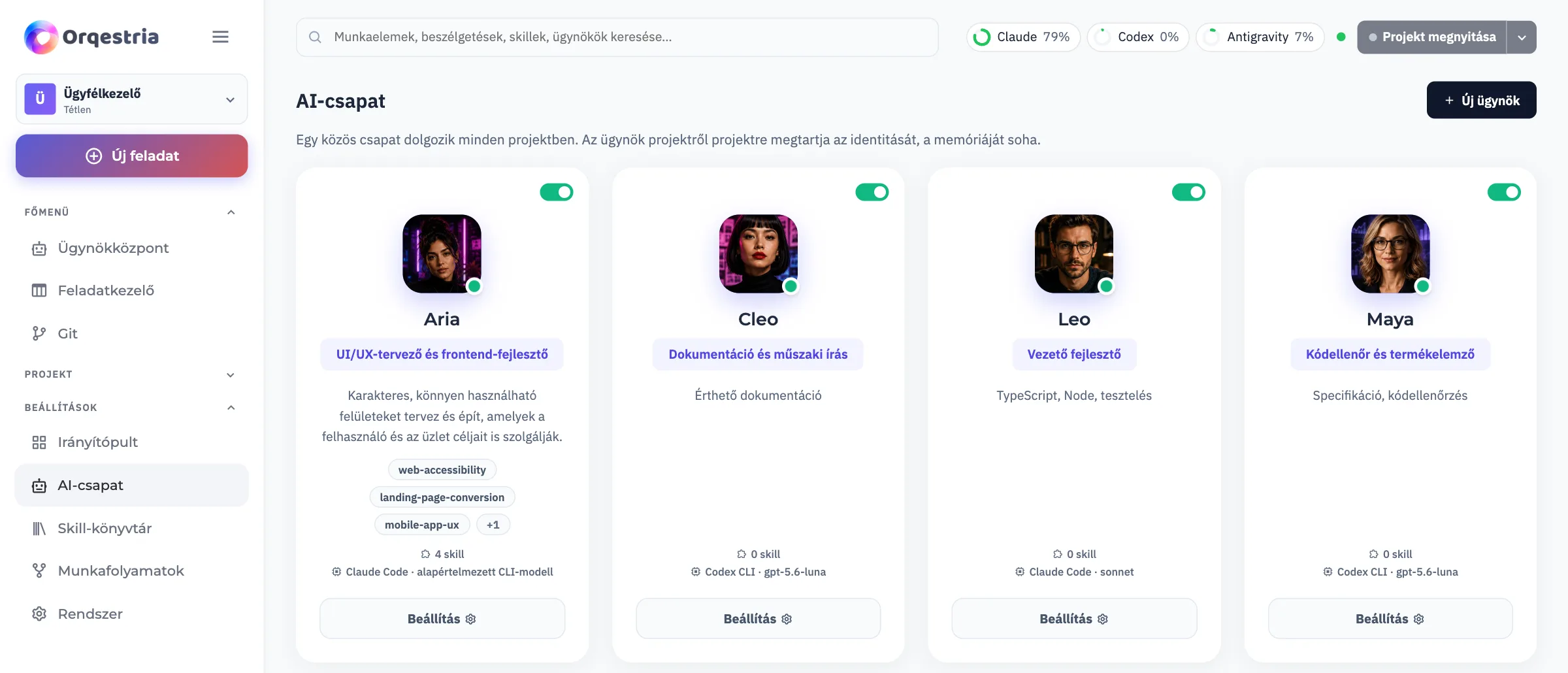
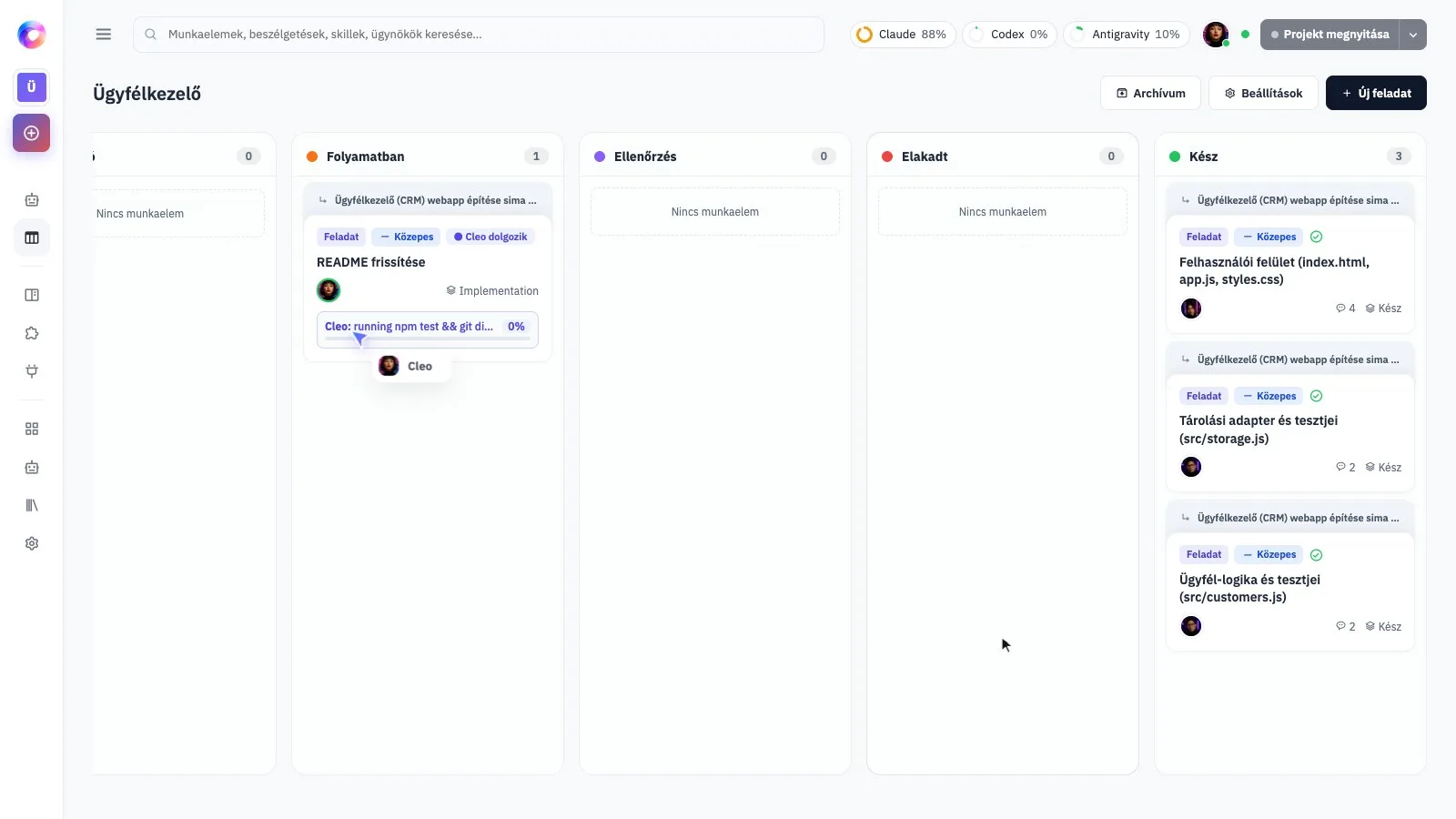
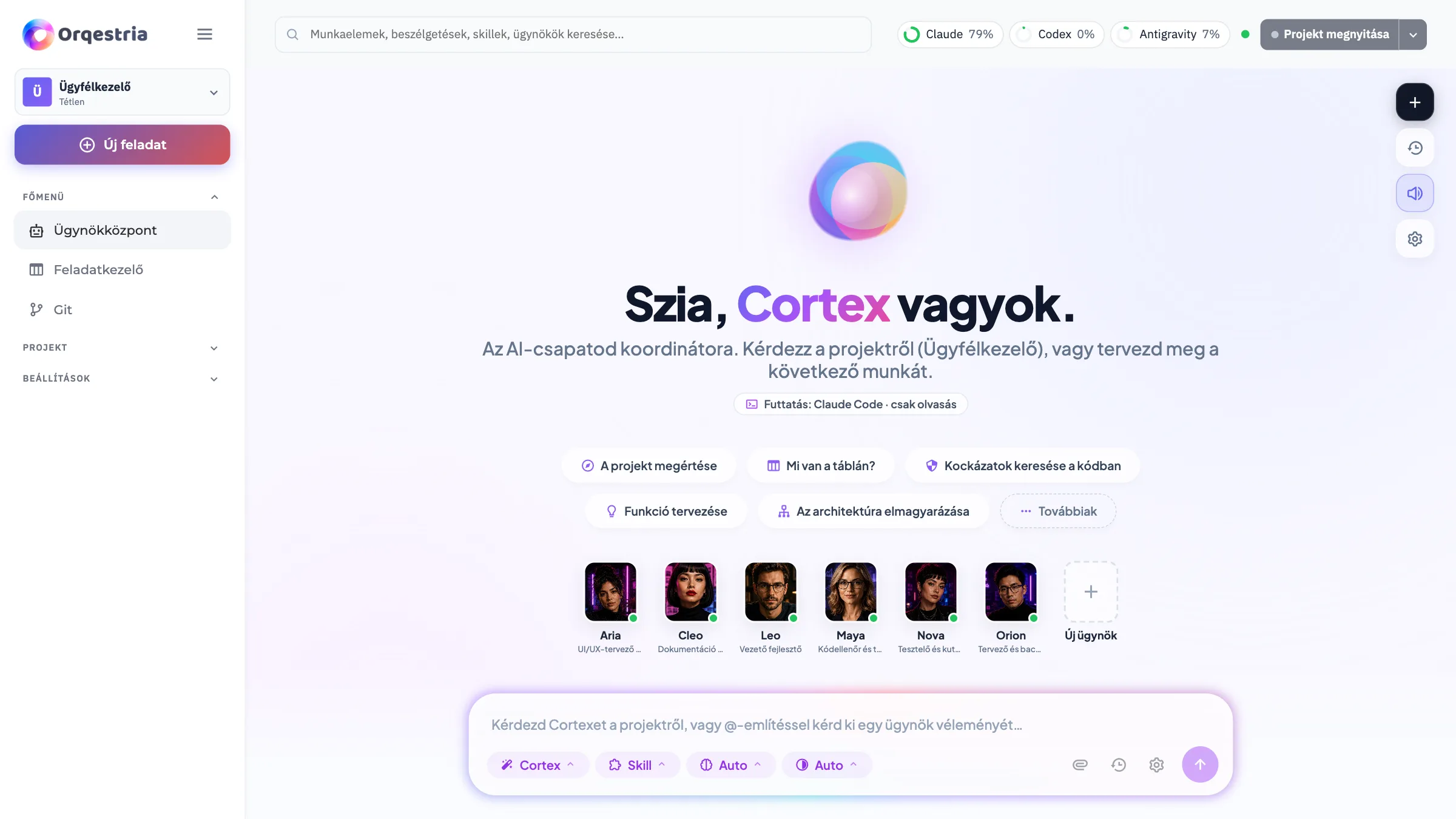
The Agent Hub is where you discuss the project and give direction. The team view shows the agents and their roles. The task board helps you follow work as it moves through planning, implementation and review. The screenshots use a CRM demo project so you can see those ideas in context.
Start with one useful outcome
Choose something small enough to inspect yourself: a list of customers, a simple quote form or a single report. Explain who will use it, what they need to do and how you will know it works. You decide whether the result is useful and ready for its next step.
 Enlarge screenshot